FPV
FPV Controller: Control Types and Radio Protocols Explained
Updated on 5 min read
Written with AI: This text was written with the help of artificial intelligence. Technical data and legal information are based on the linked manufacturer and authority sources. Learn more
Control types at a glance
| Controller | How you control | What for |
|---|---|---|
| Radio (controller with two sticks) | each axis individually with the sticks | classic FPV, manual mode (Acro), simulator |
| DJI FPV Remote Controller 3 | two sticks, Normal, Sport and Manual modes | DJI FPV drones such as the Avata 2 |
| DJI RC Motion 3 | tilting your hand plus an accelerator button | easy start with DJI drones, no manual mode |
| Gamepad | sticks of a game controller | simulators only |
We have not flown any of these controllers ourselves. All information comes from the manufacturers.
The classic radio
A radio has two sticks. In Mode 2, the default on DJI, the left stick controls throttle and rotation, the right stick forward, backward and sideways movement. For manual mode (Acro), the throttle stick does not spring back to the centre. This lets you hold the throttle at any level.
With open FPV systems, you often buy the radio and drone from different manufacturers. Then the radio protocol is decisive.
Radio protocols: what has to match?
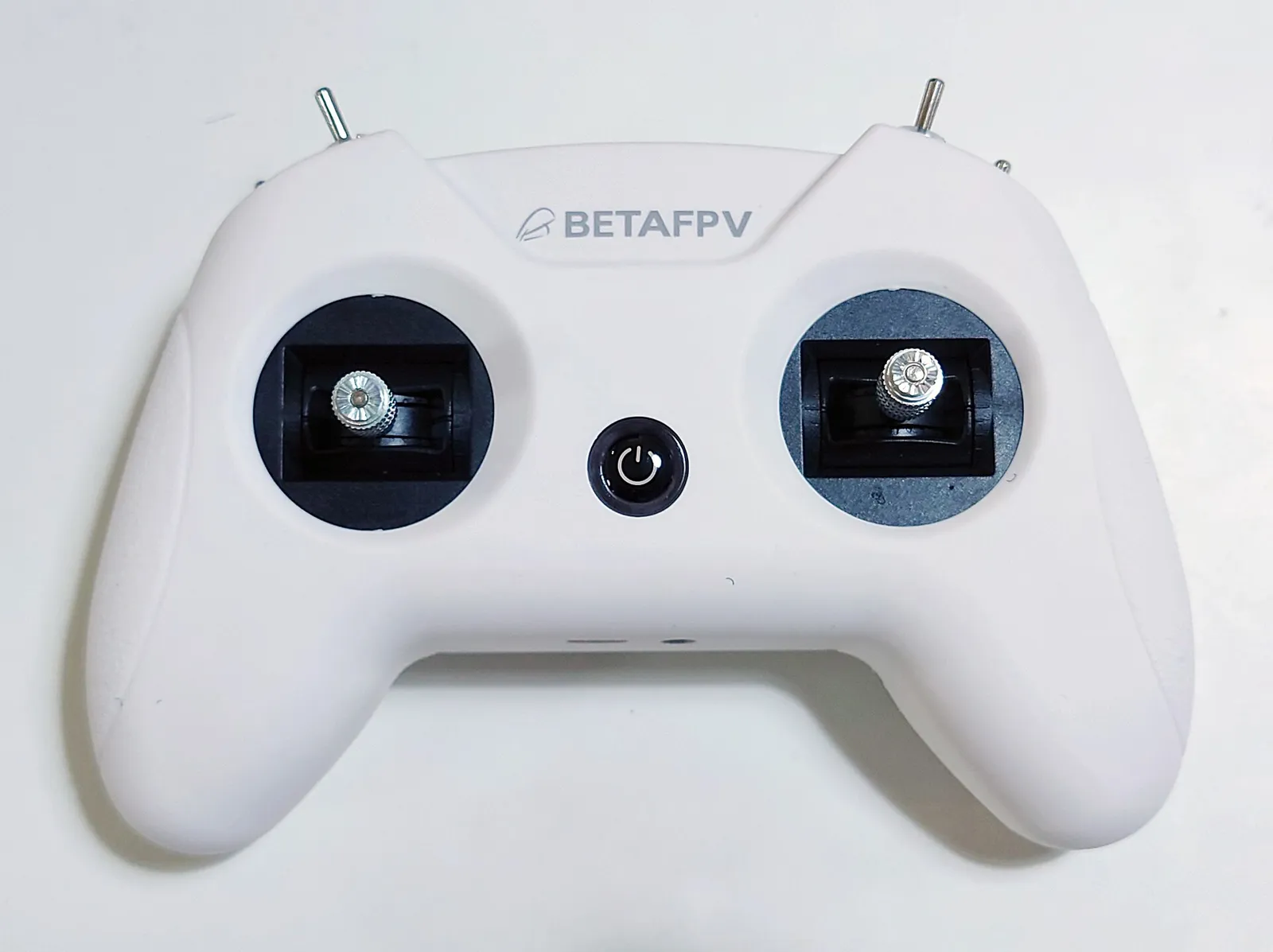
The radio (transmitter) and the receiver in the drone must use the same protocol. Otherwise they will not connect. That is why many radios come in several variants. BETAFPV, for example, offers the LiteRadio 2 SE with ExpressLRS 2.4G, Frsky or Bayang.
| Protocol | According to the manufacturer | Frequency |
|---|---|---|
| ExpressLRS (ELRS) | open-source radio link, packet rate up to 1000 Hz | 2.4 GHz or 900 MHz |
| TBS Crossfire | long-range radio link with built-in telemetry, own CRSF protocol | 868/915 MHz |
| Frsky D8/D16 | switchable on the LiteRadio 2 SE, as are Futaba and Bayang | not stated on the product page |
| DJI | closed system, only with DJI devices | FPV Remote Controller 3 and RC Motion 3: 2.4 GHz |
Tip: Choose a protocol before you buy and get a matching radio and receiver or drone. Which frequencies and transmission power are allowed in your country varies by region. Look for the variant for the European market.
DJI FPV Remote Controller 3
The FPV Remote Controller 3 looks like a classic radio, but only works within the DJI system. According to the manual:
- Three flight modes: Normal (N), Sport (S) and Manual (M), switchable via a switch.
- Manual mode is off by default. You first have to adjust the screws behind the throttle stick so it no longer springs back to the centre, and enable the mode in the goggles. The first time, the maximum attitude is limited.
- Simulators: According to DJI, the controller supports Liftoff, Uncrashed, DRL and DCL. DJI advises practising manual mode in a simulator first.
- Specs: approx. 240 g, operating time approx. 10 hours, charging time 2 hours, 2,600 mAh battery.
According to the DJI FAQ, for the Avata 2 you need an FPV Remote Controller 2 or 3 if you want to fly in manual mode.
DJI RC Motion 3: controlling with your hand
The RC Motion 3 is a one-handed controller. You control by movement:
- Press the accelerator: The drone flies towards the circle shown in the goggles. The harder you press, the more it accelerates. Release it to hover.
- Tilt the controller: If you press the accelerator to the first detent, tilt the controller left or right to turn the drone. It does not fly forward yet.
- Lock button: Take-off, landing and braking. According to DJI, the drone climbs to approx. 1.2 m on take-off and then hovers.
- Modes: Normal and Sport. With supported drones there is also Easy ACRO with flips and rolls at the push of a button.
- Specs: approx. 118 g, battery life approx. 10 hours (according to DJI measured at 25 °C, connected to the Goggles 3, stationary).
DJI describes the Motion 3 as intuitive control through body movement. It does not offer a manual mode: for that, DJI requires the FPV Remote Controller 2 or 3 with the Avata 2.
Which DJI controller for which drone?
According to the DJI FAQ:
| Drone | Compatible FPV controllers |
|---|---|
| DJI Avata 2 | RC Motion 2, RC Motion 3, FPV Remote Controller 2, FPV Remote Controller 3 |
| DJI Neo 2 | RC Motion 3, FPV Remote Controller 3 (also RC 2, RC-N3 and RC-N2) |
Note for the Avata 2: according to the FAQs for the Avata 2 and the Goggles N3, only the RC Motion 3 and the FPV Remote Controller 3 work with the DJI Goggles 3 or Goggles N3. With Goggles 2 or Integra, it is the RC Motion 2 and the FPV Remote Controller 2. Which goggles fit which drone is under FPV goggles.
And the gamepad?
A gamepad is only suitable for the simulator. Liftoff, for example, can only be played with a game or radio controller according to its Steam page. But you are better off practising straight away with a radio that connects as a joystick via USB. According to BETAFPV, the LiteRadio 2 SE, for example, offers an Xbox mode for the DJI simulator on Windows. That way your fingers get used to the same sticks you will fly with later. More under FPV simulator.
Frequently asked questions
Mode 1 or Mode 2?
According to the manual, Mode 2 is the default on the DJI FPV Remote Controller 3. Open radios such as the LiteRadio 2 SE are available in either Mode 1 or Mode 2. If you fly DJI drones, Mode 2 is therefore the obvious choice.
Can I use an ExpressLRS radio for the Avata 2?
No. The Avata 2 uses the DJI system and, according to DJI, is flown only with the DJI controllers in the table above.
Which rules apply to FPV?
Special rules apply to flights with video goggles, for example regarding the airspace observer. Everything about this is under FPV rules. How to get started overall is under Getting started with FPV.
Sources
- DJI: FPV Fernsteuerung 3 – Handbuch v1.2 (PDF; flight modes, manual mode, simulators, specs), retrieved on 14 November 2026
- DJI: RC Motion 3 – Handbuch v1.0 (PDF; operation, Easy ACRO, specs), retrieved on 14 November 2026
- DJI: Avata 2 – FAQ (compatible remote controllers, manual mode, simulators), retrieved on 14 November 2026
- DJI: Goggles N3 – FAQ (compatible aircraft and remote controllers), retrieved on 14 November 2026
- DJI: Neo 2 – FAQ (compatible remote controllers and goggles), retrieved on 14 November 2026
- ExpressLRS: official project page (900 MHz and 2.4 GHz, packet rate), retrieved on 14 November 2026
- Team BlackSheep: TBS Crossfire TX (868/915 MHz, CRSF, telemetry), retrieved on 14 November 2026
- BETAFPV: LiteRadio 2 SE Radio Transmitter (protocol variants, USB joystick, simulators), retrieved on 14 November 2026
- Steam: Liftoff: FPV Drone Racing (LuGus Studios; game or radio controller required), retrieved on 14 November 2026