Guides
Drone Photos: How to Take Better Aerial Shots
Updated on 4 min read
Written with AI: This text was written with the help of artificial intelligence. Technical data and legal information are based on the linked manufacturer and authority sources. Learn more
1. Composition: think in shapes
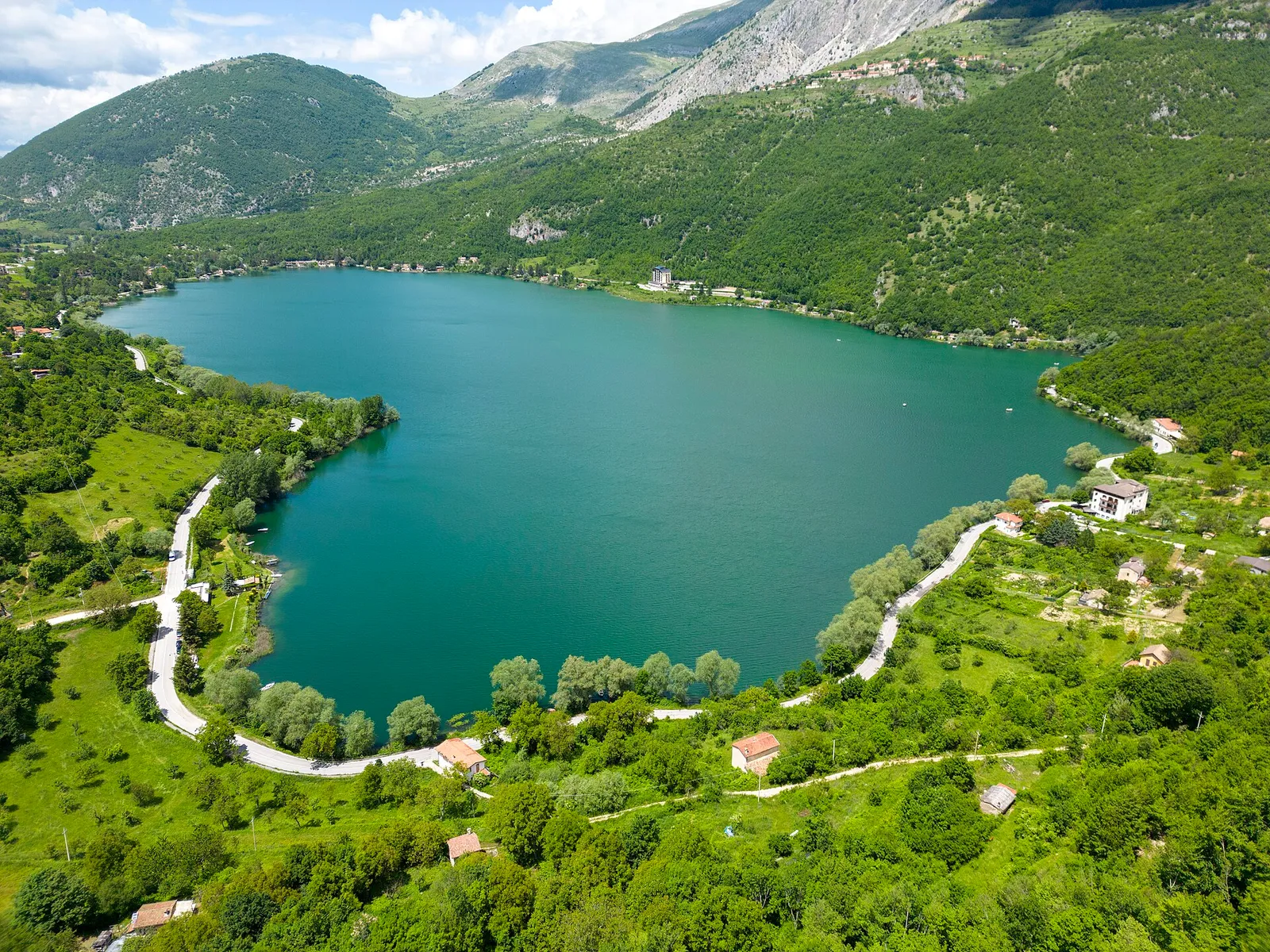
From above, the world looks different. Instead of individual objects, patterns, lines and surfaces become important.
- Straight down: Point the camera 90 degrees down. Roads, fields, beaches and roofs turn into graphic patterns.
- Leading lines: Rivers, paths and coastlines lead the eye into the image.
- Rule of thirds: Place the horizon or main subject on a third line instead of in the middle. You can show the grid in most apps.
- One clear subject: A single tree, a boat or a person in a large open area has more impact than a busy image.
2. Do not always fly all the way up
The maximum altitude is rarely the best. From a low altitude a subject looks more three-dimensional and the foreground gains depth. Try several altitudes and angles at the same spot before you move on. The rules set your limits, see no-fly zones.
3. Light: the golden hour
Shortly after sunrise and before sunset the sun is low. The light is warm and soft, and long shadows draw structures into the landscape. At midday everything looks flat and harsh.
The blue hour after sunset can also be appealing. But note that separate rules apply to flights at dusk and at night, see Flying a drone at night.
4. Getting exposure right
- Show the histogram. It tells you whether bright or dark areas are clipping.
- Expose a little on the dark side. Blown highlights such as a white sky can hardly be recovered, while dark areas often can.
- Manual for series. For panoramas and bracketing, lock exposure and white balance so all images look the same.
5. RAW instead of just JPEG
RAW files contain more image information. You can adjust exposure, white balance and shadows much more later than with JPEG. According to the spec sheet, the Mini 5 Pro saves photos as JPEG and as DNG, i.e. in RAW format.
RAW files are much larger. Plan for enough space, see Memory card.
According to the manual, “SmartPhoto” is active by default in single-shot mode on the Mini 5 Pro. This mode combines scene recognition and HDR automatically. That is handy for quick photos. If you want to edit yourself, RAW is the better choice.
6. Exposure bracketing for high contrast
In backlight or at sunset, the contrast is often too high for a single image. With exposure bracketing (AEB) the drone takes several images at different exposures, which you later combine into an HDR image. According to the spec sheet, the Mini 5 Pro shoots brackets of 3, 5 or 7 images at 0.7 EV steps.
7. Panoramas
Many drones have a panorama mode in the app that automatically takes several images and stitches them together. Which variants your drone supports is in the manual.
For a good panorama:
- Let it hover steadily. In wind, shoot higher up or from a sheltered spot.
- Lock exposure so the sky does not look patchy.
- Think about the foreground. Nearby objects are difficult to stitch. Panoramas work best with some distance to the subject.
8. Fly smoothly and shoot steadily
After each movement, wait until the drone is still before you take the shot. According to DJI, SmartPhoto on the Mini 5 Pro does not work while the drone or gimbal is moving. Even without SmartPhoto, a photo is sharper when the drone is stationary. Take a few test shots before important photos, as DJI recommends.
Publishing photos: mind image rights
Before you share your images, check who or what is in them. Recognisable people, private property and some buildings raise legal questions. The details are under Publishing drone photos.
Frequently asked questions
Do I need an ND filter for photos?
Usually not for photos. ND filters matter mainly for video. For long exposures of water or clouds they can also help with photos, see ND filters.
Which resolution should I choose?
If your drone has a high-resolution mode, use it for landscapes you want to crop later. According to the spec sheet, the Mini 5 Pro offers 12 MP and 50 MP.
Which drone is good for photos?
A large sensor and RAW support are what matter. One example is the DJI Mini 5 Pro with a 1-inch sensor. We present models with an even larger sensor or a telephoto camera under Professional drone.
Sources
- DJI: Mini 5 Pro – Technische Daten (photo formats, photo modes, AEB), retrieved on 12 November 2026
- DJI: Mini 5 Pro – User Manual v1.0 (PDF, English; SmartPhoto, shooting tips), retrieved on 12 November 2026