Guides
Your First Flight with a Drone: Step by Step
Updated on 6 min read
Written with AI: This text was written with the help of artificial intelligence. Technical data and legal information are based on the linked manufacturer and authority sources. Learn more
This guide follows the user manual of the DJI Mini 5 Pro. With other DJI models the process is similar, but details such as buttons and menus differ. So always read your drone’s manual. We have not flown the steps ourselves with every model.
Before your first flight, sort out the legal questions: registration, insurance and, if required, the drone pilot certificate (Kompetenznachweis). All of this is in the Law section, for example under Drone licence and No-fly zones.
Step 1: Prepare at home
Do these things at your desk, not at the flying site:
| What | According to the DJI manual |
|---|---|
| Activate the battery | New batteries are in hibernation mode. Press the power button once or charge them to wake them up. |
| Activate the remote controller | The DJI RC 2 must be activated before first use; it needs internet access for this. |
| Activate the drone | Switch on the drone and remote controller and follow the instructions in the DJI Fly app. Internet access is needed here too. |
| Linking | According to the Neo 2 manual, devices from a combo are already linked. Otherwise, the app guides you through linking. |
| Firmware | The app notifies you of updates. DJI recommends installing them; otherwise some features may be missing. |
| Charging | Fully charge the flight battery, remote controller and smartphone. |
| Tutorial videos | DJI links tutorial videos for the model in the manual. |
If you use the DJI RC-N3, clamp your smartphone into the holder and connect it with the matching cable. On Android, DJI advises choosing “charge only” at the USB prompt, otherwise the connection may fail. Which remote controller suits your drone is under DJI RC 2 vs. RC-N3.
Step 2: Choose the day and the place
- Little wind. According to the spec sheet, the Mini 5 Pro withstands up to 12 m/s; for your first flight you want to be far from that. What the values mean is under Flying a drone in wind.
- Open area. DJI advises flying only in open terrain. Tall buildings and large metal structures can interfere with the compass and GNSS.
- Clear view of the sky. Mountains and trees can block the GNSS signal.
- Distance from sources of interference such as power lines, radio masts and substations.
- Do not take off from single-coloured or reflective surfaces, nor from moving cars or boats.
Step 3: At the take-off site
First go through the pre-flight checklist. For your first flight, three points are especially important:
Calibrate the compass if the drone asks for it
The drone uses its status LEDs to show whether calibration is needed. On the Mini 5 Pro they then blink alternately red and yellow. In that case, follow the instructions in the app. If you are not prompted, you do not need to calibrate anything.
Set the return-to-home altitude
DJI stresses that you should set a suitable return-to-home altitude before every flight. Choose it so the drone safely clears trees and buildings on the way back, because according to DJI it does not detect obstacles in every environment during return to home. It cannot be changed while the return is in progress. Also check which action is set for signal loss. On the Mini 5 Pro, return to home starts when the signal has been lost for more than 6 seconds and “RTH” is selected as the action.
Wait for the self-check
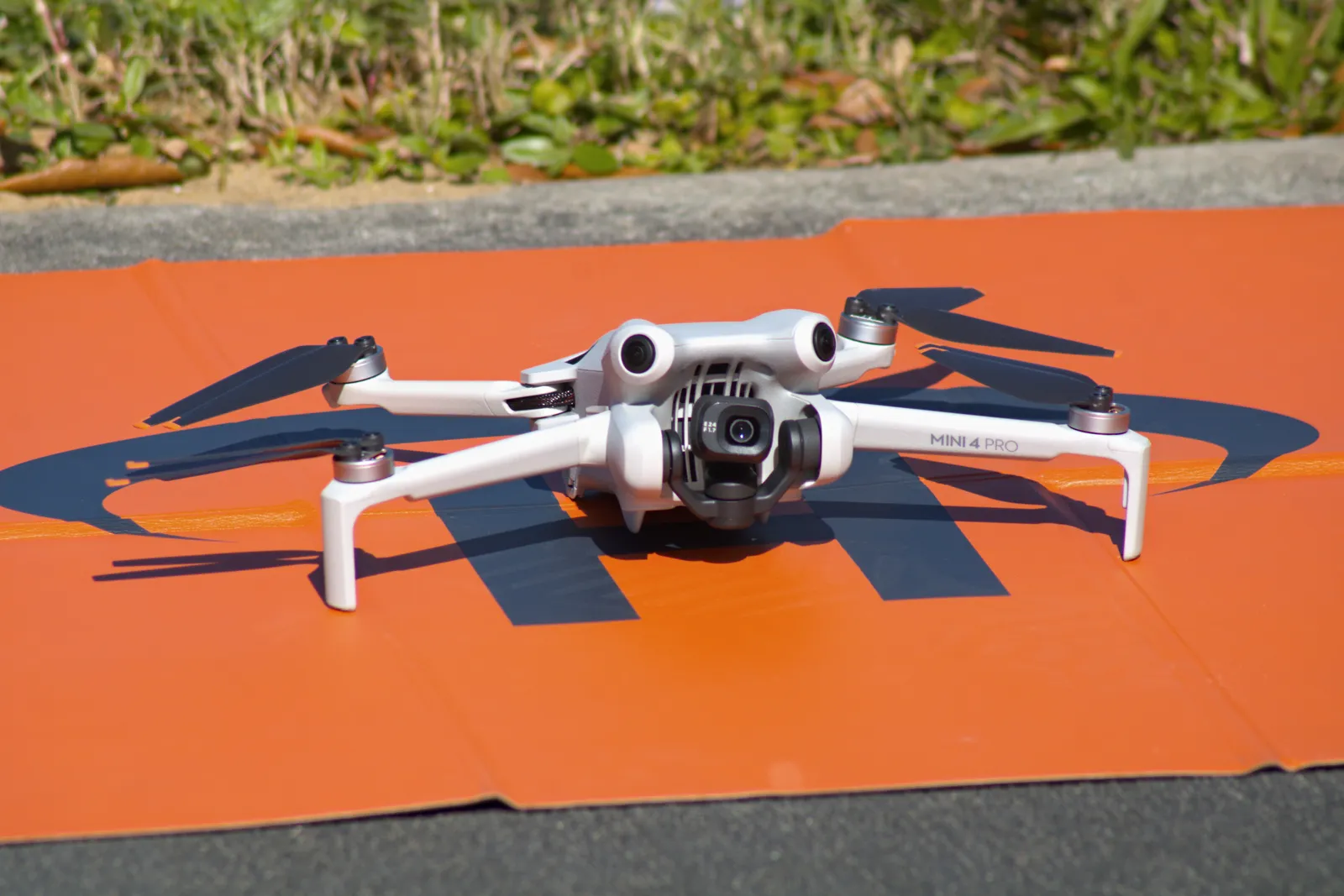
Place the drone on an open, level surface with its rear facing you. Switch on the remote controller and the drone. Open the camera view in the app and wait until the self-check is complete. If the app shows a warning, do not take off.
Step 4: Take-off
According to the manual, you have two options:
- Automatic take-off: Tap and hold the take-off icon in the app. The drone lifts off and hovers above the ground.
- Manual take-off: Start the motors with a stick combination, release both sticks and then slowly push the left stick up (in the default Mode 2).
For your first flight, automatic take-off is the easiest.
Step 5: Wait for the home point
Right after take-off, the drone records the home point it flies to during an automatic return. According to DJI, this works with a good GNSS signal or sufficient light. The app confirms it with a voice prompt.
Only fly on once you have heard this prompt. If you took off near buildings, the home point may be inaccurate according to DJI. In that case, keep a particularly close eye on the drone during return to home and, if in doubt, land it yourself.
Step 6: The first exercises
Stay in Normal mode and at a low altitude close to you. Skip Sport mode: on the Mini 5 Pro, obstacle sensing is off there, and according to the manual the braking distance is at least 30 m in calm conditions.
A sensible sequence for your first battery:
- Hover: Release the sticks and watch how the drone holds its position.
- Short movements: A few metres forward, back, left, right. The nose points away from you.
- Rotate slowly: Once around on the spot, very gently.
- Get to know return to home: Trigger return to home once from a short distance and watch what the drone does. That way you know how it behaves in an emergency. You can cancel the return via the app or the remote controller.
- Land: See step 7.
Once that works reliably, move on to squares, figure eights and circles. You will find the full practice plan under Learning to fly a drone.
Step 7: Land and switch off
- Hover over a level surface and push the left stick down. Or select automatic landing in the app.
- After touchdown, hold the stick down until the motors stop.
- Switch off the drone first, then the remote controller. That is what the DJI manual says.
- Check the drone, propellers and battery for damage. Notes on propellers are under Spare propellers.
Frequently asked questions
How high can I fly on my first flight?
Technically, you set the maximum altitude in the app. Legally, limits apply, which you can read about under No-fly zones. For your first flight, a low altitude is enough anyway.
What do I do if the drone drifts away?
Stay calm and counter-steer with small movements. According to DJI, with a weak GNSS signal and no working vision sensors the drone switches to ATTI mode. It then does not hold its position by itself and can drift with the wind. DJI advises landing as soon as possible in this case.
Do I need a simulator first?
For camera drones with GPS it is not a must. For FPV drones a simulator makes sense; more on that under FPV simulator.
Sources
- DJI: Mini 5 Pro – User Manual v1.0 (PDF, English; first use, activation, take-off and landing, status LEDs, return to home), retrieved on 14 November 2026
- DJI: Neo 2 – Benutzerhandbuch v1.2 (PDF; linking, combo devices pre-linked), retrieved on 14 November 2026
- DJI: Mini 5 Pro – Technische Daten (wind resistance), retrieved on 14 November 2026